The Best Excel Spreadsheets for Solo Business Owners in 2026
Forget QuickBooks. The best Excel spreadsheets for small business owners are purpose-built for one trade, one workflow, and one human running the show.
When you're the owner, the operator, the bookkeeper, and the marketing department, software bloat is the enemy. You don't need an enterprise CRM with permission tiers. You don't need a $35-a-month accounting suite with 400 features designed for companies that have a CFO. You need a spreadsheet that knows what you do, opens fast, and tells you whether last month made money.
The truth most "business tool" reviews skip: Excel and Google Sheets, in the hands of a solo owner with a well-built template, beat the SaaS tools 80% of the time. They're faster to open. They don't lock your data behind a subscription. They don't push you toward features you'll never use. And they bend to your specific trade in ways generic software can't.
But the spreadsheet has to be built right. A generic "small business template" with twelve tabs labeled "Income," "Expenses," and "Reports" isn't going to cut it. The good ones are surgical, built for one trade, one workflow, one set of numbers that actually matter.
Here's what to look for, and what's worth your time as a solo owner.
What separates a real business spreadsheet from a generic one
You can tell within 30 seconds. A generic template asks you to define your own categories, build your own formulas, and figure out what to track. A real one already knows.
A spreadsheet built for a mobile mechanic knows that parts cost is a percentage of the job, that fuel between jobs is a real expense, that some service calls are profitable and some are charity, and that you need to know which is which by the end of the month. It doesn't ask you to figure that out. It tells you.
When you're evaluating a business spreadsheet, look for:
- Pre-built categories that match your trade. If you have to invent the chart of accounts, the template wasn't built for you.
- A profit view, not just income and expenses. Revenue minus costs isn't enough. You need profit by job, by customer, by month, or you can't tell what's working.
- Inputs that match how you actually collect data. If you're a service business taking notes on your phone between jobs, the template needs to be phone-friendly. If you're an Etsy seller, it needs to handle the fee structure without you doing math.
- A dashboard that takes five seconds to read. Not a 40-tab analytics suite. One clean view that tells you the answer to "did I make money this month?"
If a template has all four, it's worth using. If it doesn't, you'll abandon it by week six.
For service businesses: track jobs, not transactions
The biggest mistake service business owners make is using accounting software designed for product businesses. You don't have inventory. You have jobs. And jobs have their own economics, drive time, parts cost, labor hours, customer return rate, that a generic ledger will never capture.
A mobile mechanic doing six jobs a day needs to know: what did I get paid, what did the parts cost, how long did I drive, and what's left? A landscaper needs to know: which routes pay, which customers ghost on the invoice, and is the equipment investment paying off this season?
The Mobile Mechanic Business Spreadsheet is built around exactly this, it logs every service call, separates parts from labor, tracks fuel between jobs, and shows you which jobs actually pay versus the ones that just kept you busy. Trade-specific templates exist for window cleaners, locksmiths, movers, garage door installers, chimney sweeps, fencing contractors, and a dozen other trades, because the metrics that matter for a mover (crew hours, distance, stairs) are not the same metrics that matter for an electrician.
If your trade has its own unit economics, and almost every trade does, use a template that knows them. Don't force a generic template to do the math you should never have to teach it.
For makers, sellers, and Etsy shops: profit per listing, not just per month
If you sell physical or digital products on Etsy, Shopify, or anywhere with a fee structure, monthly revenue is a lie. What matters is profit per listing, and the fees, shipping, materials, and processing costs that quietly eat 30–50% of every sale you don't track properly.
Most Etsy sellers can tell you their gross sales. Very few can tell you, listing by listing, which products are making money and which are subsidizing the others. That's how you end up with a "bestseller" that's actually your worst margin item, while the listing that nets 4x more per unit sits at the bottom of your store because you don't realize it deserves more marketing.
The Etsy Seller Bookkeeping Spreadsheet handles the fee math automatically, every sale gets the Etsy transaction fee, payment processing, materials cost, and shipping subtracted to show you real profit per listing and per month. It also gives you tax-ready category breakdowns, which is the difference between an hour with your spreadsheet in April and a panicked weekend with a shoebox of receipts.
The principle generalizes. If you sell anything online, your spreadsheet needs to handle the platform's fee structure natively. Anything else and you're flying blind on margins.
For creatives and freelancers: the project is the unit
For photographers, designers, podcasters, writers, and consultants, the unit of work isn't a transaction, it's a project. And projects have their own lifecycle: pitch, contract, deposit, work, delivery, final invoice, payment received. If your spreadsheet treats every line as a one-off sale, you'll lose track of who owes you what and which clients are quietly profitable versus quietly draining you.
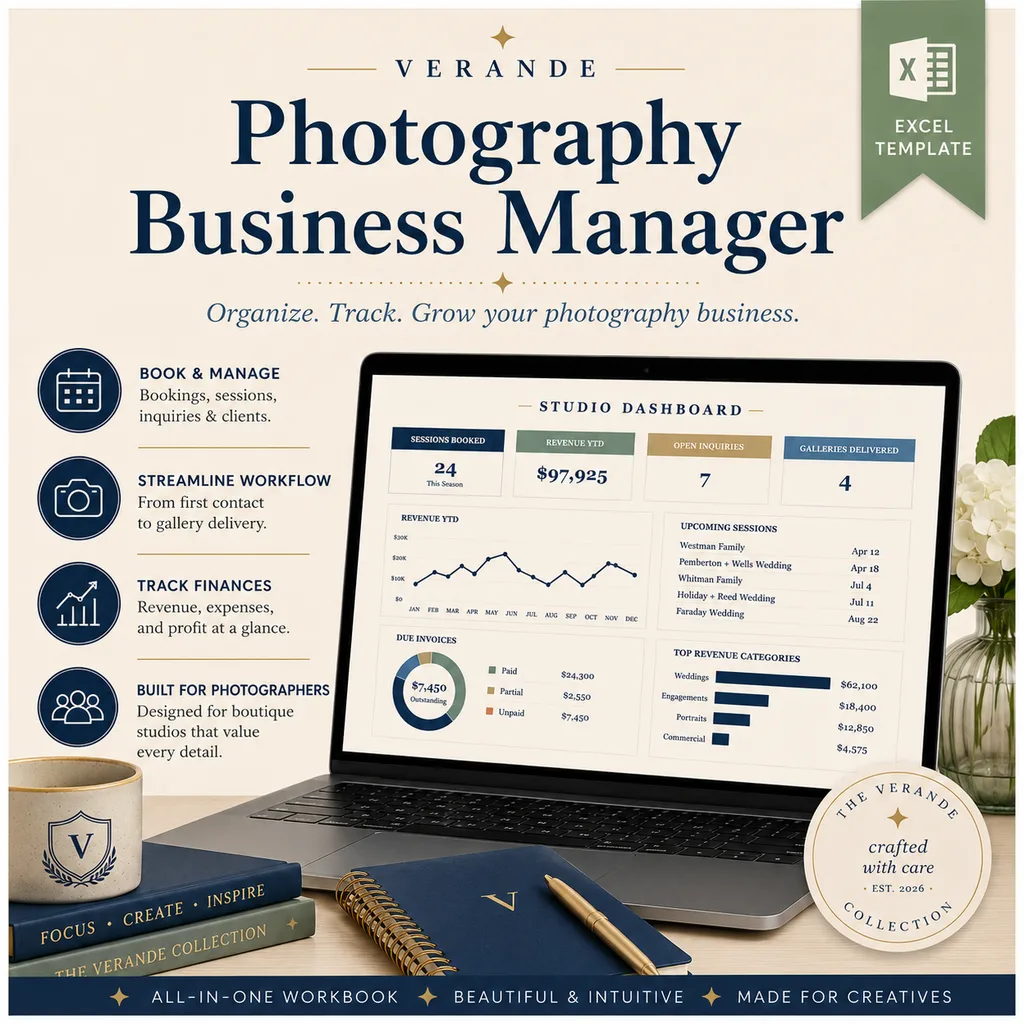
The Photography Business Spreadsheet is built around this, it tracks every shoot from booking to delivery, captures session pricing and package add-ons, handles the gear cost and mileage that you're definitely deducting, and gives you a monthly profit view that respects the seasonal reality of the business (weddings cluster in summer; portrait sessions cluster in fall).
If you're in any creative or knowledge-work business, look for a template that thinks in projects, tracks the work in progress, and surfaces clients who consistently pay late. Those three features alone are worth more than most accounting software.
For side hustlers: tax-readiness is the entire game
If you're earning $500 to $5,000 a month from a side hustle, the single most expensive mistake you can make is showing up to tax season without categorized expenses. You'll either overpay (because you didn't track deductions) or underpay (because you didn't track income), and both are bad.
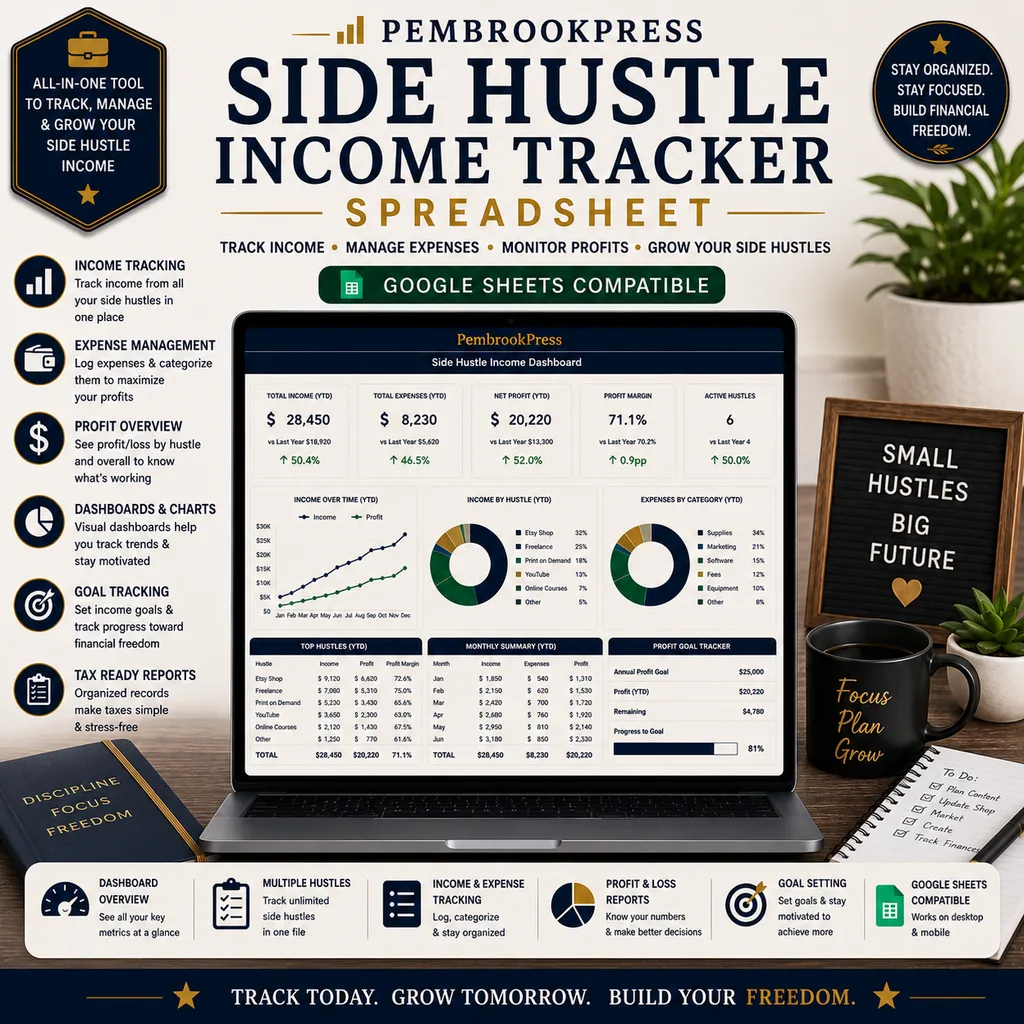
The Side Hustle Income & Expense Tracker is built for the 1099 reality, every income source logged, deductible expenses categorized by IRS schedule, quarterly self-employment tax estimated, monthly profit shown clean. It exports tax-ready summaries so your accountant (or your TurboTax session) takes 20 minutes instead of three hours.
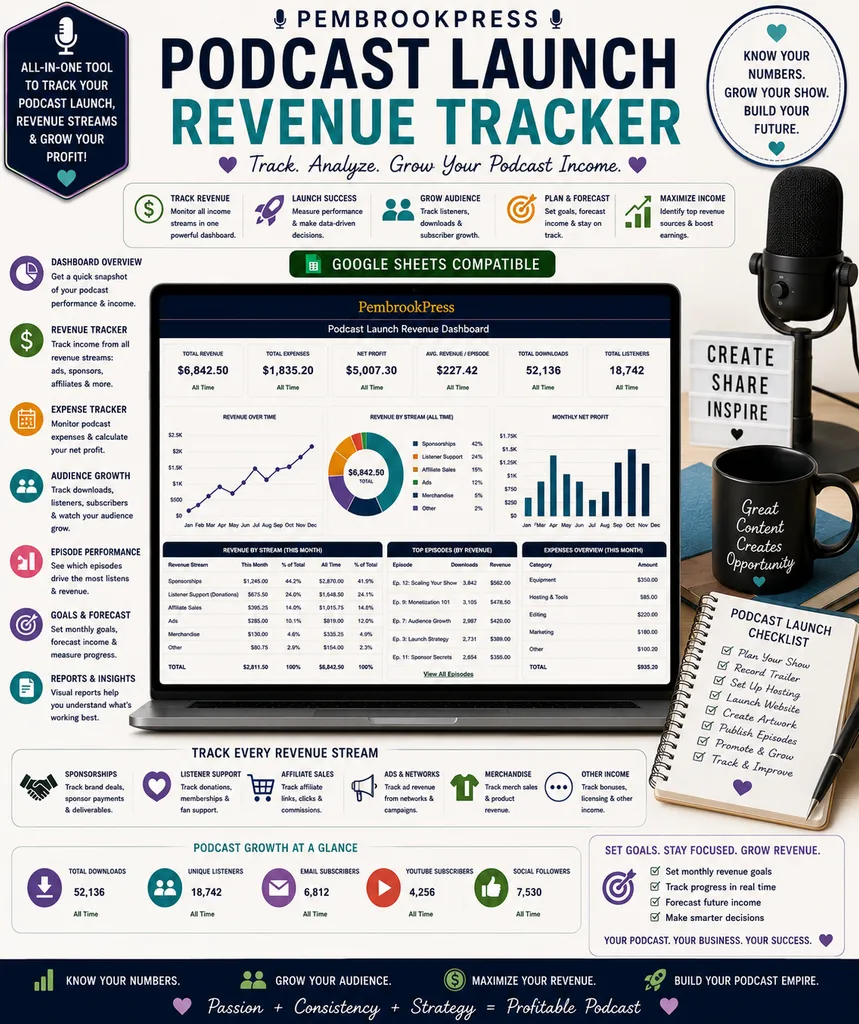
If you're a podcaster, the math gets a little weirder, sponsor CPMs, dynamic ad insertions, Patreon revenue, affiliate links, episode-by-episode performance. The Podcast Launch & Revenue Toolkit handles all of it, plus listener growth tracking and a per-episode P&L that tells you which episodes were actually worth the production effort.
The setup ritual that pays for itself
The first time you load a new business spreadsheet, block 45 minutes. Not 10. Not "I'll do it as I go." Forty-five focused minutes to:
- Enter your last 30 days of jobs, sales, or projects from memory or records
- Set your standard pricing, fees, or rates in the input cells
- Plug in your fixed monthly expenses (insurance, software, phone, etc.)
- Take one screenshot of the dashboard
That screenshot is your baseline. Every month going forward, you'll know whether you're up, flat, or down, and which lever moved the number. That single piece of clarity is what separates owners who grow from owners who grind.
Pick the tool that knows your business
The right spreadsheet for a solo business owner is rarely the most general one. It's the one built for your exact trade, your exact platform, your exact workflow. A template that already knows what a "job," "listing," "session," or "episode" means in your world will save you 100x what it costs in time, money, and clarity.
Start with the one closest to what you do
Browse the trade and side hustle business templates and pick the one that matches your work. If your trade isn't a perfect match, pick the closest one and tweak, the structure transfers. The thing you're buying isn't a spreadsheet. It's the hours you'll get back not building it yourself, and the clarity you'll have about whether the business is actually working.
Mobile Mechanic Business
Routes, parts markup, labor hours, and a client-vehicle database. Every roadside call accounted for.