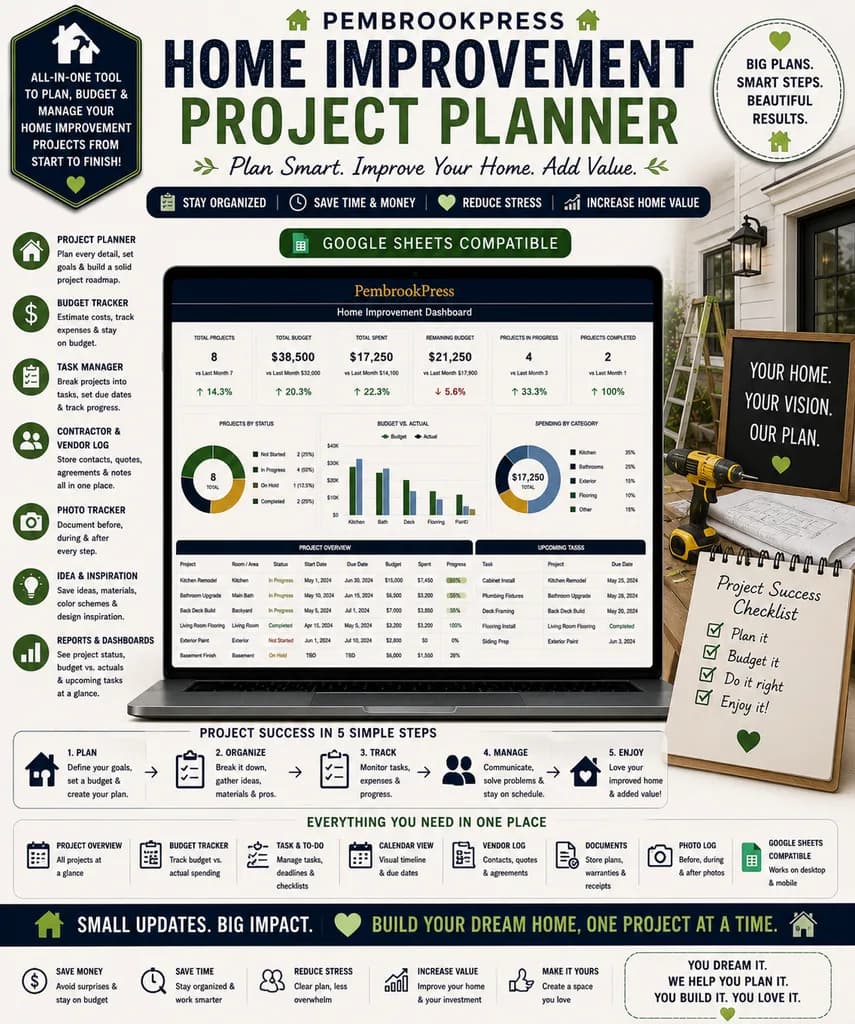
Home Improvement Project Planner
Multiple project budgets, contractor bid comparisons, and a DIY-vs-hire calculator, before the demo wall comes down.
- ✓ Excel + Google Sheets · instant download
- ✓ 30-day refund, no questions asked
- Founders' edit ends in 17 days
Home projects fail budgeting before they fail construction. This workbook holds multiple project budgets so the kitchen, the deck, and the basement aren't fighting for the same money. Contractor bids sit side by side. A DIY-versus-hire calculator prices your time honestly. The ROI tracker shows what actually adds to resale.

“Built like it'll be passed down.”
Ready when you are.
Instant download. Lifetime access. No subscriptions.
- 7-tab spreadsheet, fully editable
- Instant download: Excel (.xlsx)
- Works in Microsoft Excel (Mac & Windows)
- No macros, no subscriptions
No reviews yet. Be the first to leave one.
Does Home Improvement Project Planner work in Google Sheets?
Yes. Every SailsAndShore workbook ships with both formats: a native Excel .xlsx file and a Google Sheets version. You get both in the same download — use whichever you prefer.
How many tabs does Home Improvement Project Planner have?
Home Improvement Project Planner has 7 pre-wired tabs — all connected by formulas so numbers roll up automatically. No blank cells, no setup required. Open, plug in your data, done.
Does Home Improvement Project Planner sync with my bank account?
No — by design. Every SailsAndShore workbook is offline and private. Your financial data never leaves your machine. You manually enter transactions, which is what most privacy-conscious buyers actually prefer.
Is Home Improvement Project Planner tax-ready?
Yes. Expenses categorize into standard IRS categories (Schedule C, Schedule E where applicable), and there's a tax-summary tab you can print and hand your CPA.
Can I use Home Improvement Project Planner on Mac?
Yes. Works in Excel for Mac, Numbers (with minor conversion), and Google Sheets in any browser. The .xlsx format is universal.
Do I need to know Excel formulas to use Home Improvement Project Planner?
No. The formulas are already written. You type in your data, the dashboards update automatically. If you can enter a number in a spreadsheet cell, you can use this workbook.
Is Home Improvement Project Planner a one-time purchase or a subscription?
One-time. Pay $8.63 once, keep the file forever. No renewals, no cancellations, no ads. If you like it, you own it.
What if Home Improvement Project Planner doesn't work for me?
30-day refund — no questions asked. Reply to the download email and we'll refund your purchase. We built this business on trust, not gotchas.
The Complete Guide to Running a Small Service Business From Your Phone
Quotes, invoicing, scheduling, and profit tracking, all from your phone between jobs. The mobile-first system real solo trades use to run lean.
7 min readHow to Actually Finish a Home Renovation Without Going Broke
Most home renos blow the budget by 30-60%. Here's the renovation project planner approach that keeps the kitchen remodel from eating your savings.
7 min read